 SeeClap
Signed in instantly.
The TV shows a QR code and a short code: approve on your phone and you are done.
IPTV player for Android TV
A native app for Android TV, Google TV and Chromecast with Google TV, built for the remote.
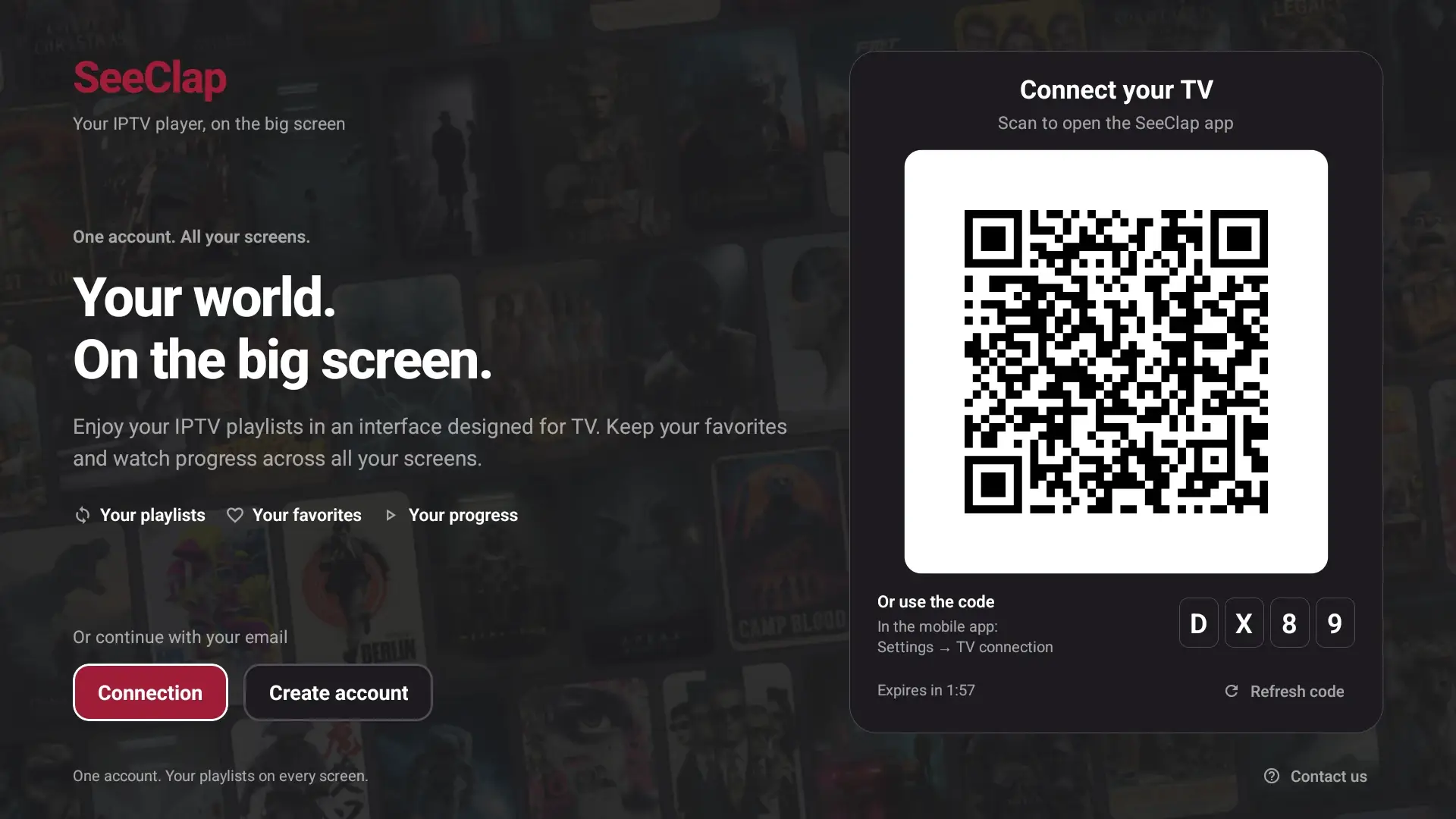
Actual interface · illustrative content
The TV shows a QR code and a short code: approve on your phone and you are done.
Program guide, timeline preview, catch-up when your provider offers it.
SOCKS5 proxy, and diagnostics that tell you exactly whether the network, the proxy or the provider is blocking.
Setup
From Google Play on your TV or box.
Scan the QR code or enter the code on your phone.
From the phone: it reaches the TV within seconds.
One subscription for all your screens.
Trial: 2 minutes per video. Premium follows your account.
There is no Samsung or LG app. Plug in a Google TV box, an Apple TV or a Fire TV.
Their compatibility is not confirmed. Prefer a certified Android TV or Google TV device.
No: downloads happen on phones and tablets.
No. SeeClap is a player: you use your own subscription.