SeeClap





Apple TV
tvOS 16.4 or later.
SeeClap turns your Xtream, M3U and OneStream playlists into a video library — posters, TV guide, resume playback — on Apple TV, Android TV, Fire TV, iPhone, iPad, Mac and Android.
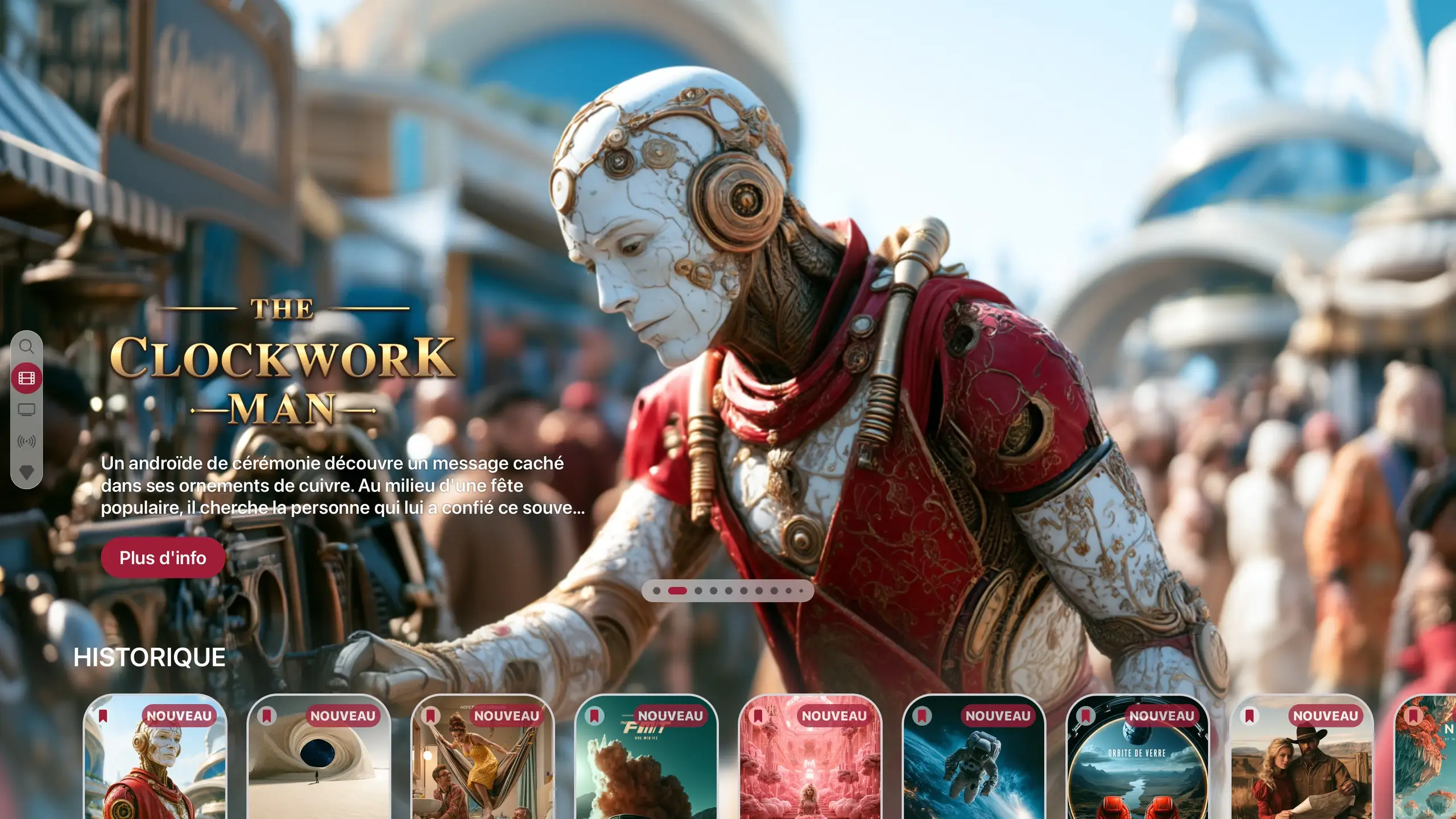
Actual interface · illustrative content · SeeClap is a player: it does not provide any channels or movies. You add your own playlist.
Paste the address, take a photo of your provider’s email or scan its QR code: the type is detected on its own and the form fills itself in.
PastePhotoQR code
Photo and QR code on phones and tablets. Up to 4 provider playlists per account.
Movies and series
Poster, synopsis, rating, cast, seasons in order, collections.
Dubbed, subtitled, 4K: versions are grouped together, with a selector.
If your playlist has none, SeeClap looks for them.
Illustrative posters created for SeeClap.
With the remote
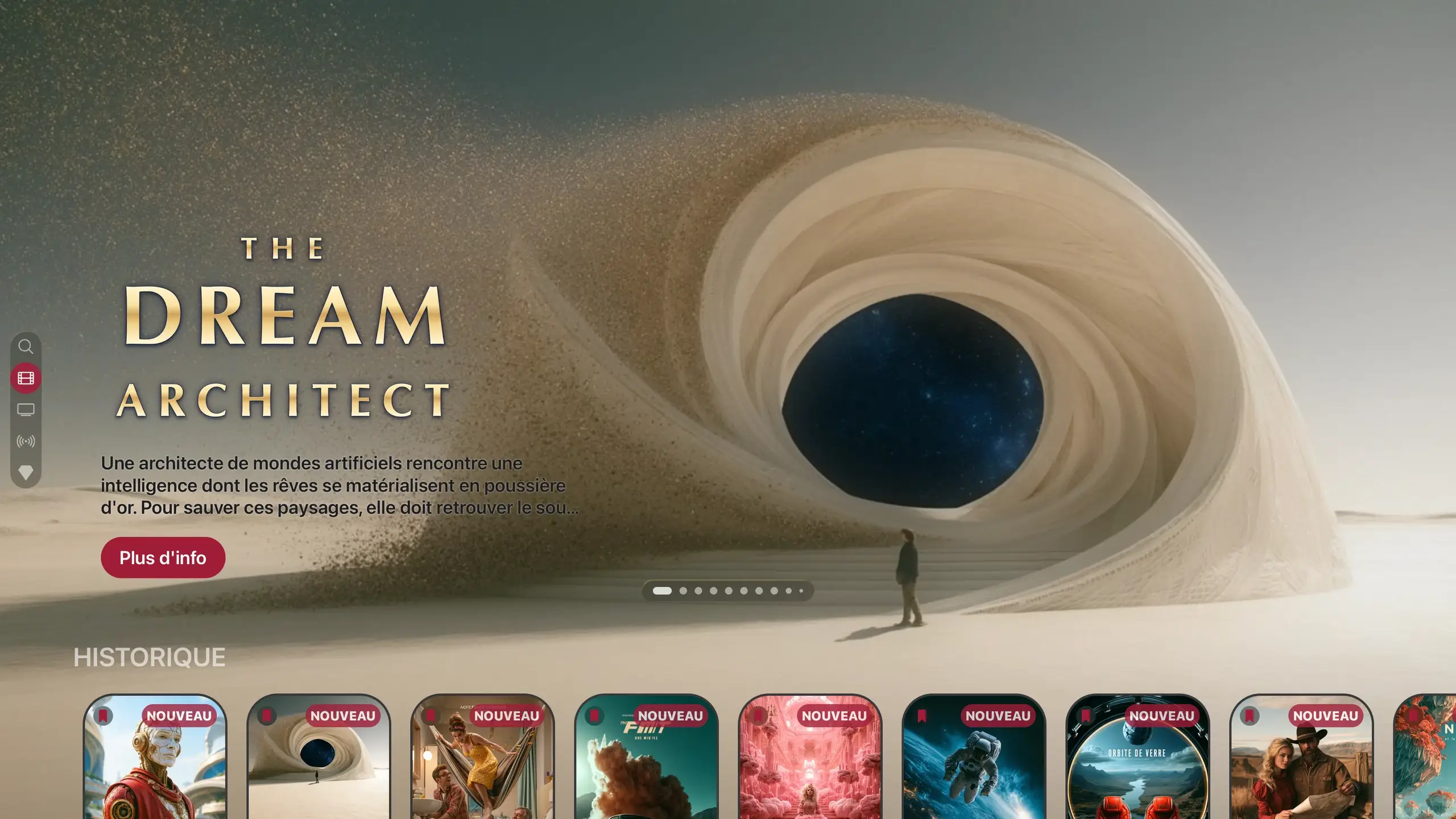
A showcase for your movies, with your history right below.
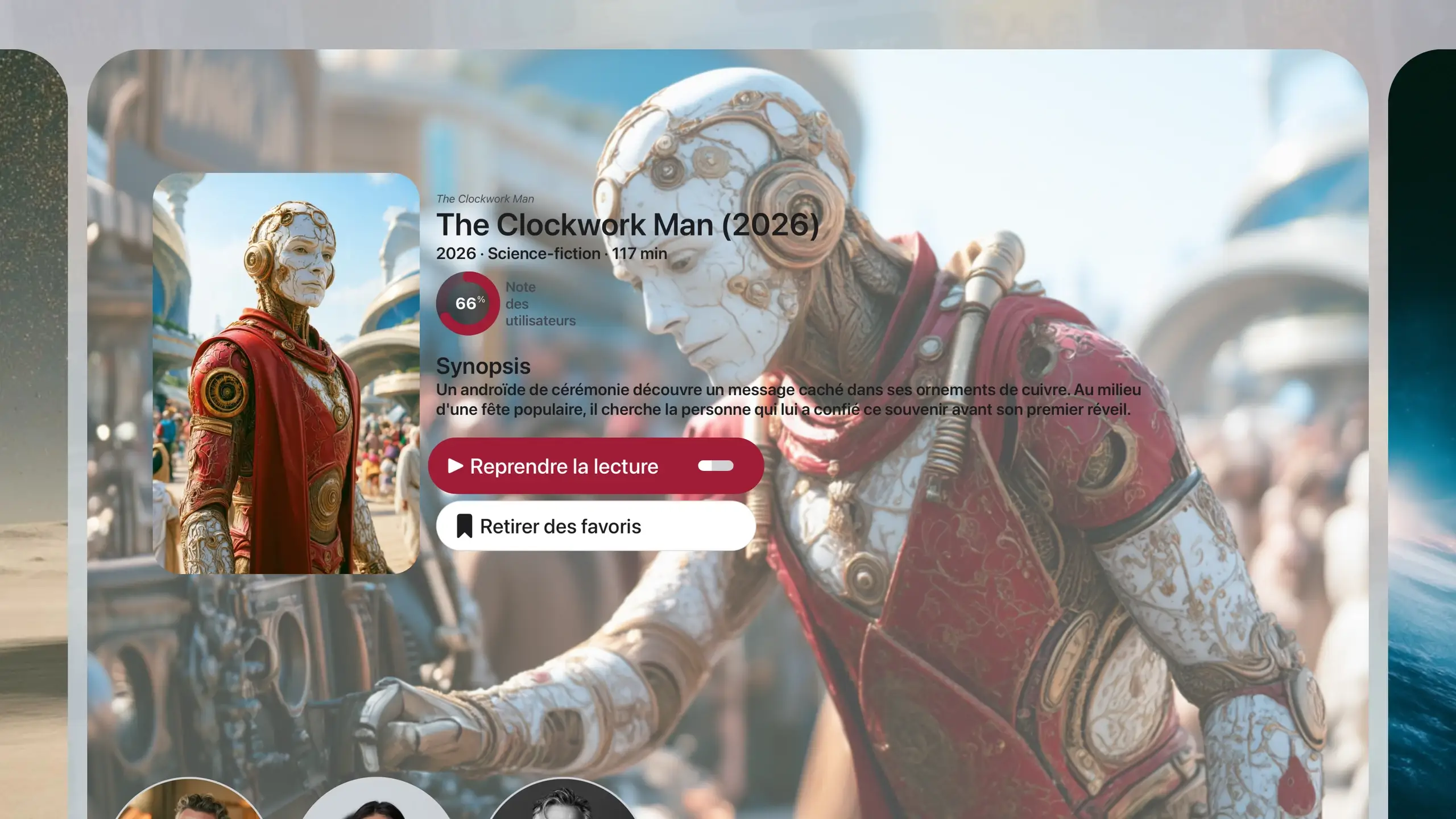
Poster, synopsis, cast: “Resume playback” in one click.
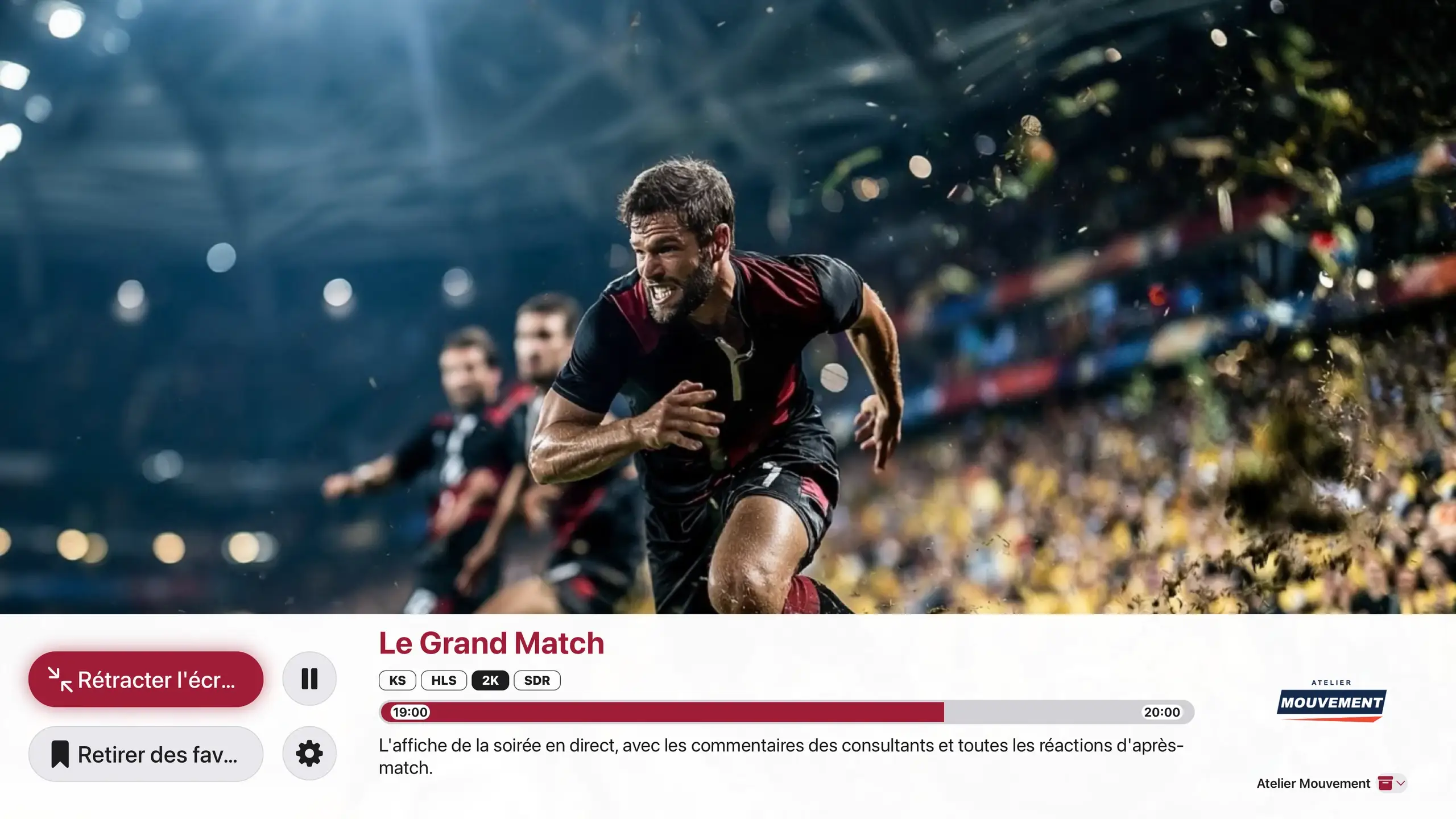
The current channel, what is next, and catch-up when your provider offers it.
All your channels, hour by hour.
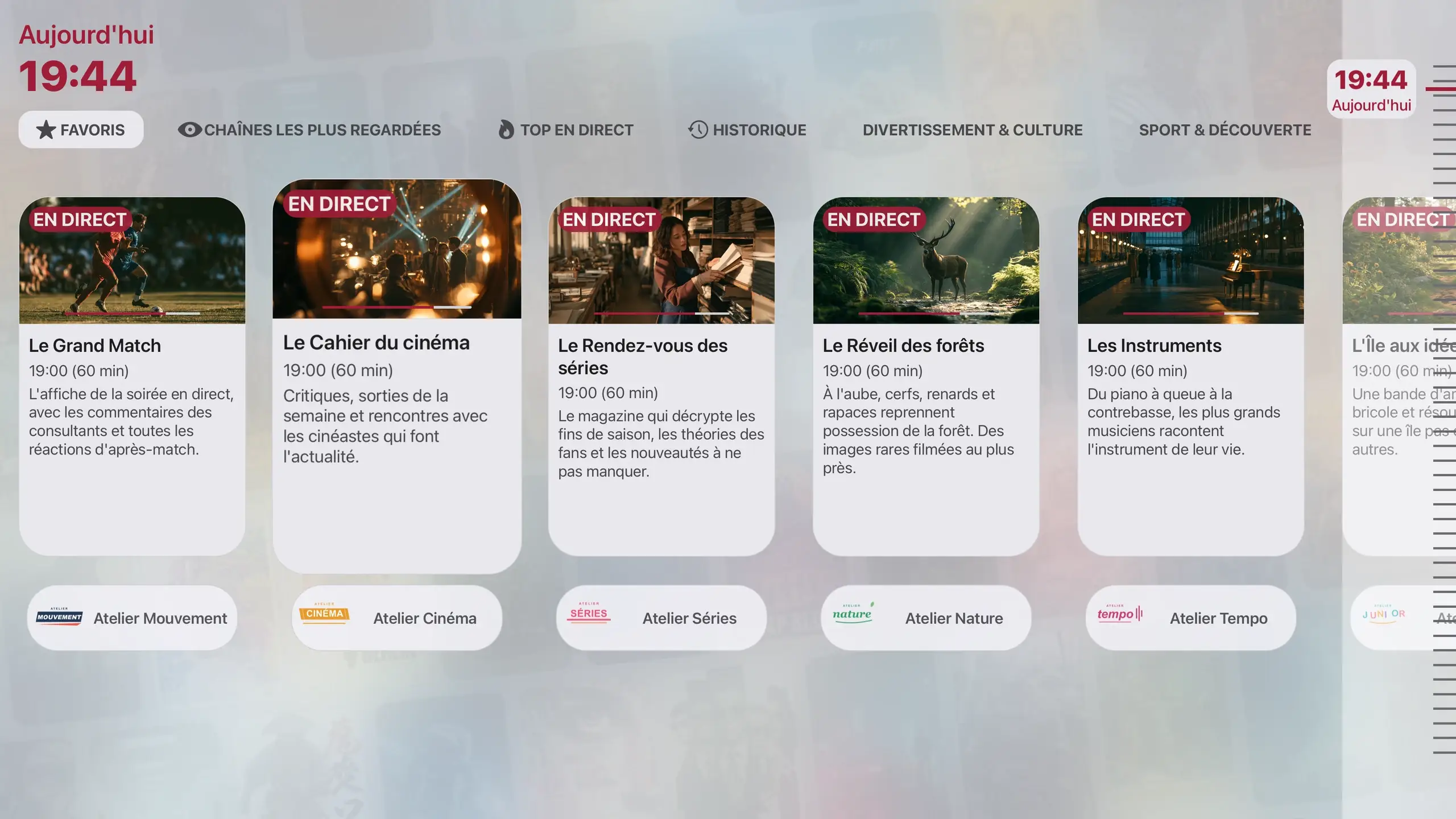
Actual interface · illustrative content
Your screens
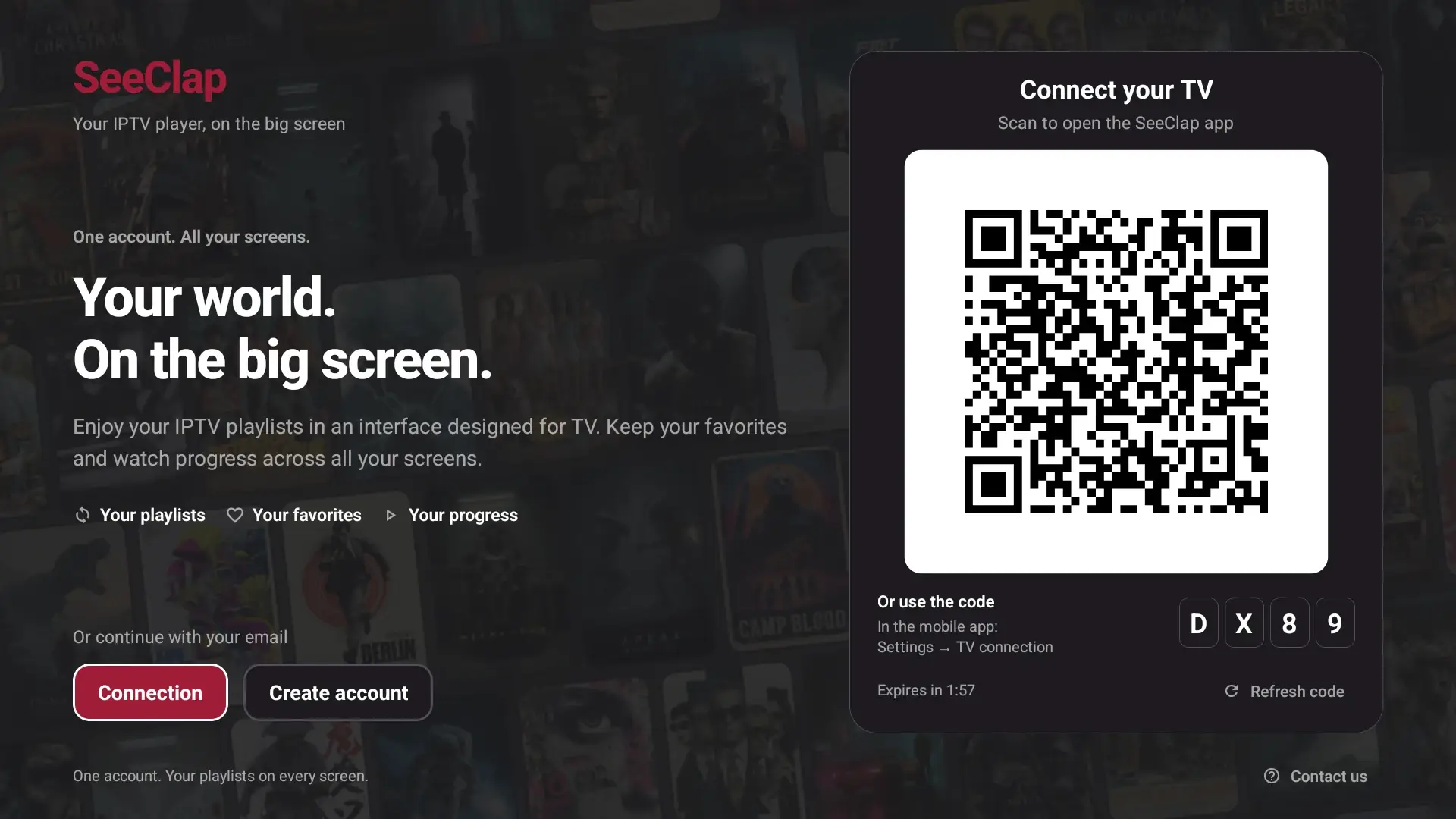
A real app on every TV, driven by the remote. The TV signs in with a code or a QR code, approved on your phone.
tvOS 16.4 or later.
Plus Google TV and Chromecast with Google TV.
Fire OS 6 or later, installed with Downloader.
Actual interface · illustrative content (Android TV, Fire TV)
And in your pocket
Your playlists, favorites and playback position follow you from the TV to the phone.
Photo, QR code, downloads, picture in picture.
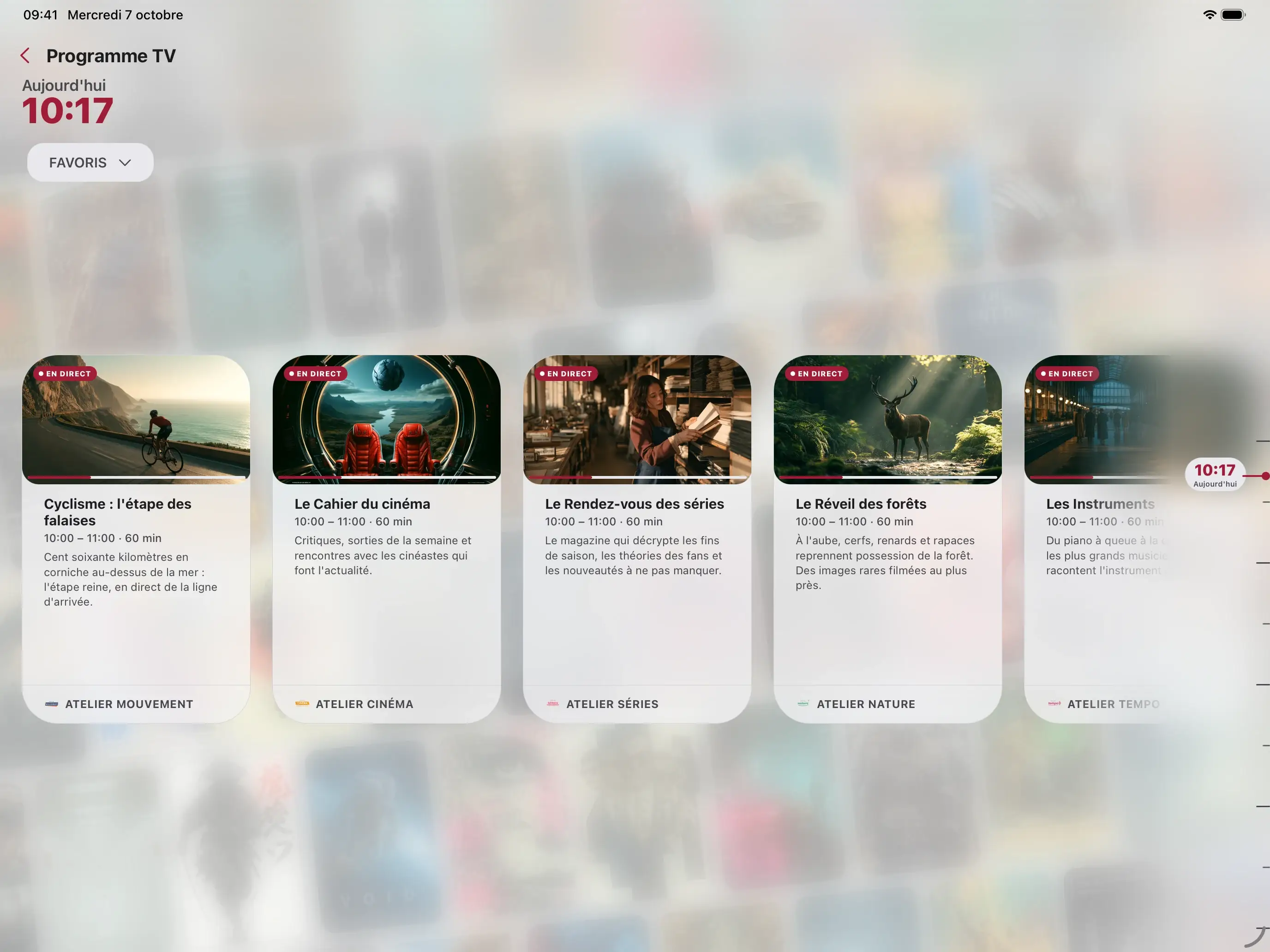
Full-screen guide. Also on Apple silicon Mac.
Since September 2023
We weren’t the first. But where an IPTV player shows your playlist, SeeClap understands it: it identifies every movie and every series, links them together and keeps everything in sync across your screens. From its very first version.
Not a cleaned-up title: the movie itself, with its poster, synopsis, cast and trailer.
Tap an actor to see their other movies and series from your playlist.
A trilogy sits together, and every version of a movie lives under one poster, with a version picker.
Similar and recommended titles, so you can keep watching without searching.
By country, by genre or by original platform: Korean movies, Turkish series, comedies…
Favorites and resume points belong to the movie, not the link: switch playlists and they’re still there.
iPhone, iPad and Apple TV in real-time sync: playlists, favorites, resume points and settings.
Scan the code with your phone: no password to type with the remote.
Your playlist credentials are encrypted on your device before they sync.
And always, only your playlist.
Actors, collections, suggestions, countries: SeeClap only shows what you can actually play. Never a catalog you don’t have.
Late 2023
2024
2025
2026
Others are getting there now.For us, it was day one.
First version released on the App Store on September 7, 2023. Dates taken from SeeClap’s release notes and development history.
Reviews
1,062 ratings on the App Store
Catchup supremacy
This is one of the only apps to deal with EPG catchup in a logical way. It detects the channels with playback, when loading that channel it tiles all the catchup programs in chronological order!
Excellent app - Great Developer
The fact that I identified a bug and the developer implemented a fix and communicated with me is fantastic. I can no longer find any fault with the app. Brilliant
I subscribed for the yearly plan & just started year 2. It’s worth it for sure!
Well done
Best app for iptv ever #1 ⭐️⭐️⭐️⭐️⭐️
This app is all you need! Everything you wish for in one app!
I even asked for cast support and it got added! Also the opensubtitles feature is amazing!! The app gets updated a lot and I hope it will be supported for a long time!
The interface for movies and series is fantastic, displaying them flawlessly.
Excerpts from 5-star reviews published on the App Store, chosen by See Apps Studio and quoted unedited in their original language. Every review, critical ones included, can be read on the App Store. Ratings collected on October 30, 2026 across every App Store country.
SeeClap Premium
Your subscription follows your account: sign in on another screen and it is already Premium.
Trial
2 minutes per video
Premium
All of SeeClap, no limits
Plans and prices shown in the App Store and Google Play · no commitment, cancel anytime
No. SeeClap is a player: it does not provide, sell or host any content. You add your own subscription or your own files.
Xtream Codes, M3U or M3U8 with an XMLTV guide, OneStream, and the SeeClap local server for your own files.
Apple TV, Android TV and Google TV, and Fire TV with Fire OS 6 or later. There is no Samsung, LG or Roku app: plug in an Apple TV, a Google TV box or a Fire TV.
Yes: it follows your SeeClap account. Sign in on another device and it is already Premium.
Every feature can be tried, with playback limited to 2 minutes per video. Premium removes the limit.
No: the TV shows a code or a QR code that you approve on your phone.
Download SeeClap and add your own playlist.


Fire TV · Downloader · 3621458